Review before posting
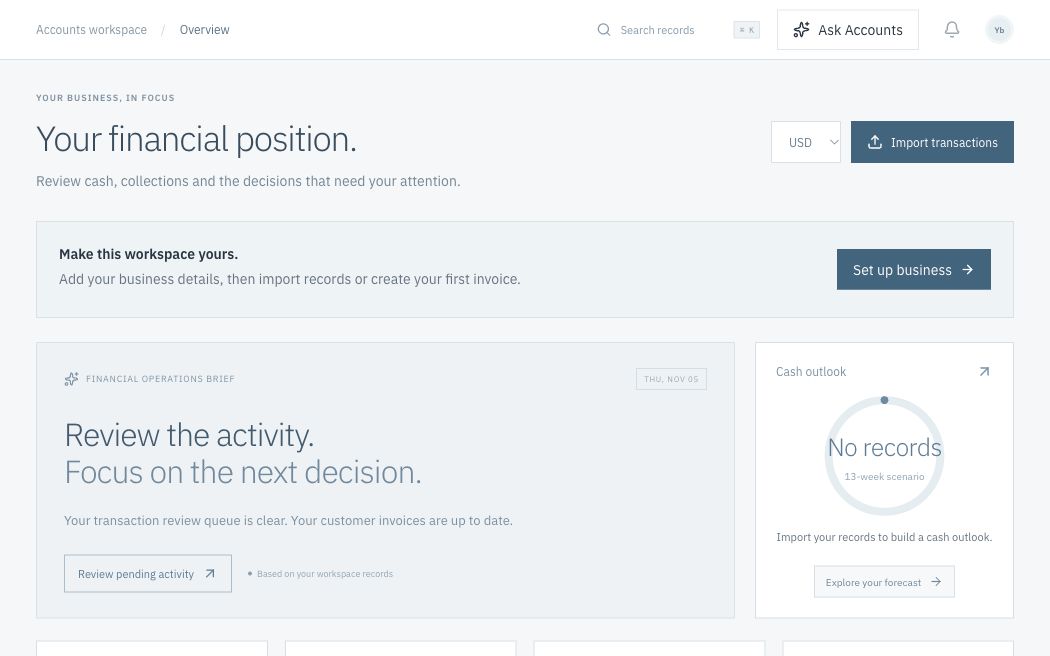
Imports enter a review queue. A suggestion alone does not change accounting records.
 Open the same workspace
Give your team one place to follow transactions, manage customer balances and review financial performance. Each part of Accounts supports a defined business task.
Explore the platformBring income, expenses and customer balances into a consistent set of double-entry records.
Balanced journals · Separate currencies · Source recordsReview performance, inspect account balances and follow the evidence behind each result.
Profit & loss · Trial balance · Cash scenariosMove from an imported statement to reviewed transactions, matched payments and updated books.
Statement review · Invoice matching · CollectionsWork with standard files and clear integration boundaries across your financial tools.
CSV import · Report exports · Workspace APISee recorded cash, customer invoices, supplier balances and net profit. Then move directly into matching a payment, reviewing a transaction or following up on an invoice.
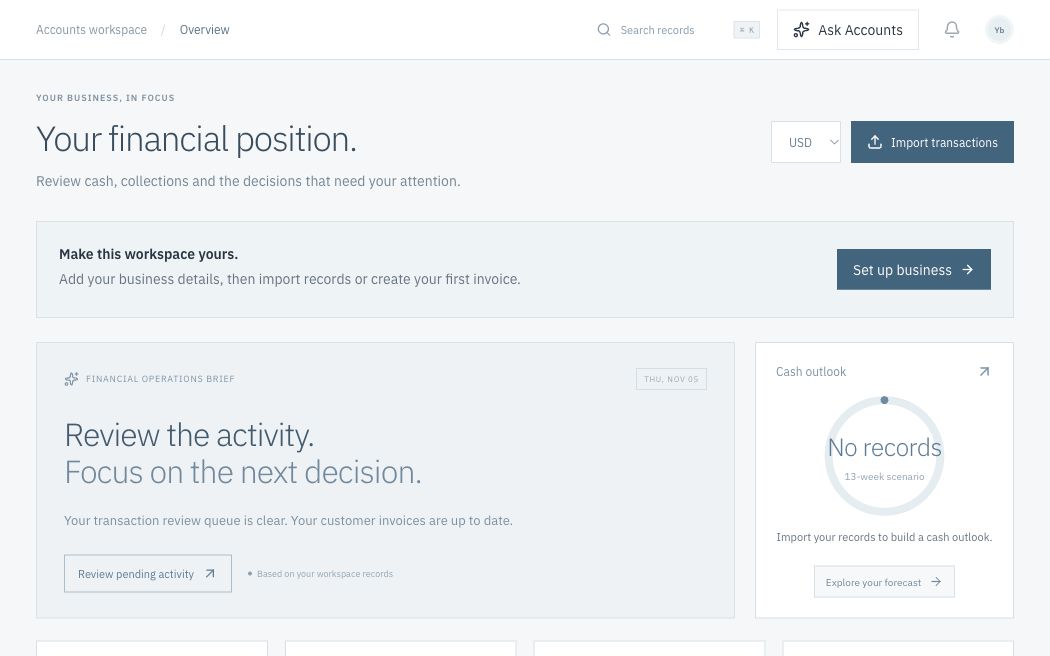
Start with an empty ledger. Import your bank records or create an invoice to build a financial picture from your actual business activity.
Take a closer lookFinancial work has a beginning, a review and a result. Follow a complete workflow to see how Accounts connects each decision to the records behind it.
Start with the transaction data you already have. Import once, review the proposed treatment and keep the evidence connected.
Try it in the workspaceUpload CSV or OFX. Map date, description, debit/credit or signed amounts and references.
Validate dates and amounts, skip exact duplicates and identify possible invoice matches.
Confirm a customer payment match or the proposed income or expense treatment.
Create a balanced journal, update the matched invoice and inspect the resulting report.
Understand recorded performance, inspect closing account balances and explore the assumptions behind a cash scenario.
Follow the result back to its source journals. Export the detail for further review or download a PDF generated from saved records.
Explore financial reportsRevenue, expenses and the result for your selected period.
Reports begin with your own records. Download PDFs and export journal detail from your private workspace.
Start with standard files, useful exports and a clear view of connection availability. Your financial records remain accessible as your tools evolve.
View connections in the appMap CSV or OFX statements from Zimbabwean banks, check duplicates and review invoice matches.
CSV & OFX availableExchange standard CSV files and export journals, reports and cash scenarios.
File exchange availableReview ECB reference rates with their source publication date. Rates are informational.
Connected reference feedAccess the current workspace’s JSON records through its authenticated session.
Internal API availableConnect a restricted live key to sync real balance transactions into your review queue.
Adapter available · authorization requiredRequires an authorized bank or aggregation provider with Zimbabwean institution coverage.
Provider access requiredInvoice emails and PDF attachments use Cloudflare Email Service. Direct bank feeds and EcoCash API access require authorized provider connections.
Automation should make financial work easier to review, explain and trace. These principles guide the workspace today and its future development.
Imports enter a review queue. A suggestion alone does not change accounting records.
Debits and credits must balance. Posted journals are preserved, with corrections recorded as additional entries.
Cloud saves include revision checks and server-side audit events. Verified email accounts separate private workspaces.
A clear product scope helps your team evaluate the workspace. Explore the working foundation and the capabilities being developed around it.
Import and reconcile statements, create invoices, match payments, inspect journals and generate financial reports.
Explore the appItemized invoices, supplier bills, approval roles, accounting periods, provider adapters and verified regional tax support.
Read the product scopeAsk Accounts analyses saved ledger records using Workers AI. Enable a daily financial brief with a month-to-date PDF report.
Understand the AI approachExplore available capabilities, account access and connection requirements.
Verified email sign-in, private cloud-saved records, mapped CSV/OFX statement imports, duplicate checks, transaction review, invoice creation and matching, balanced journals, five financial reports, PDF downloads, invoice emails, AI analysis and an optional daily financial brief. New workspaces start with no sample transactions.
Statement imports work with column mapping for bank-exported CSV and OFX files. The Stripe adapter can sync actual transactions once you authorize a live restricted key. Direct Zimbabwean bank feeds and EcoCash APIs require approved provider access and bank consent; they are not connected by default.
Sign in with the same verified email address. Your workspace is stored in Cloudflare D1 and belongs to your account. Sessions expire after seven days and can be signed out from Business settings.
USD, ZAR and Zimbabwe Gold (ZWG) are kept as separate accounting currencies. Reference exchange rates are informational; balances are not silently combined or converted.
Ask Accounts uses Cloudflare Workers AI with a server-read snapshot of your ledger summary, open invoice amounts and recent records. It can explain observations and suggest next steps. It cannot post entries or send emails. Verify advice against source records.
Itemized and tax-calculated invoicing, supplier-bill workflows, statutory fiscalisation, payroll, accounting-period locks, team approval roles and multi-company consolidation require further implementation. No statutory or tax certification is claimed.
Start with a workspace. Follow a transaction through to the result.
Open the workspace